
Editor and board files
Write MicroPython with syntax-aware editing, then move files between your tablet and connected board.
Python over Bluetooth Low Energy
PyBLE is a free, open-source, tablet-first IDE designed for boards that run MicroPython and support Bluetooth Low Energy. Public v0.6.1 firmware is available for all five exact profiles: classic ESP32, generic ESP32-S3, Waveshare ESP32-S3-LCD-1.47B, ESP32-C3, and Raspberry Pi Pico 2 W. Publication follows the project owner's qualification confirmation.
BLE-firstThe cable is for initial setup, not your everyday workflow.
Private by defaultYour code stays on your tablet and the board you connect.
Built in the openApp, firmware, and PBLE/1 are free under the MIT license.
A simpler development loop
PyBLE keeps the familiar MicroPython workflow and removes the cable from the part you repeat all day.
Use USB once to install the exact matching v0.6.1 firmware. Four ESP profiles use Web Serial; Pico 2 W uses a verified UF2 download and BOOTSEL copy.
Open PyBLE, find your nearby board, and connect directly over Bluetooth Low Energy.
Edit files, build with Blocks, run code, and use the console through the BLE connection.
A focused MicroPython workspace
PyBLE brings the essentials together without requiring an account, a cloud project, or a permanent USB connection.
Write MicroPython with syntax-aware editing, then move files between your tablet and connected board.
Run, stop, soft reboot, and follow standard output and errors without returning to a USB terminal.
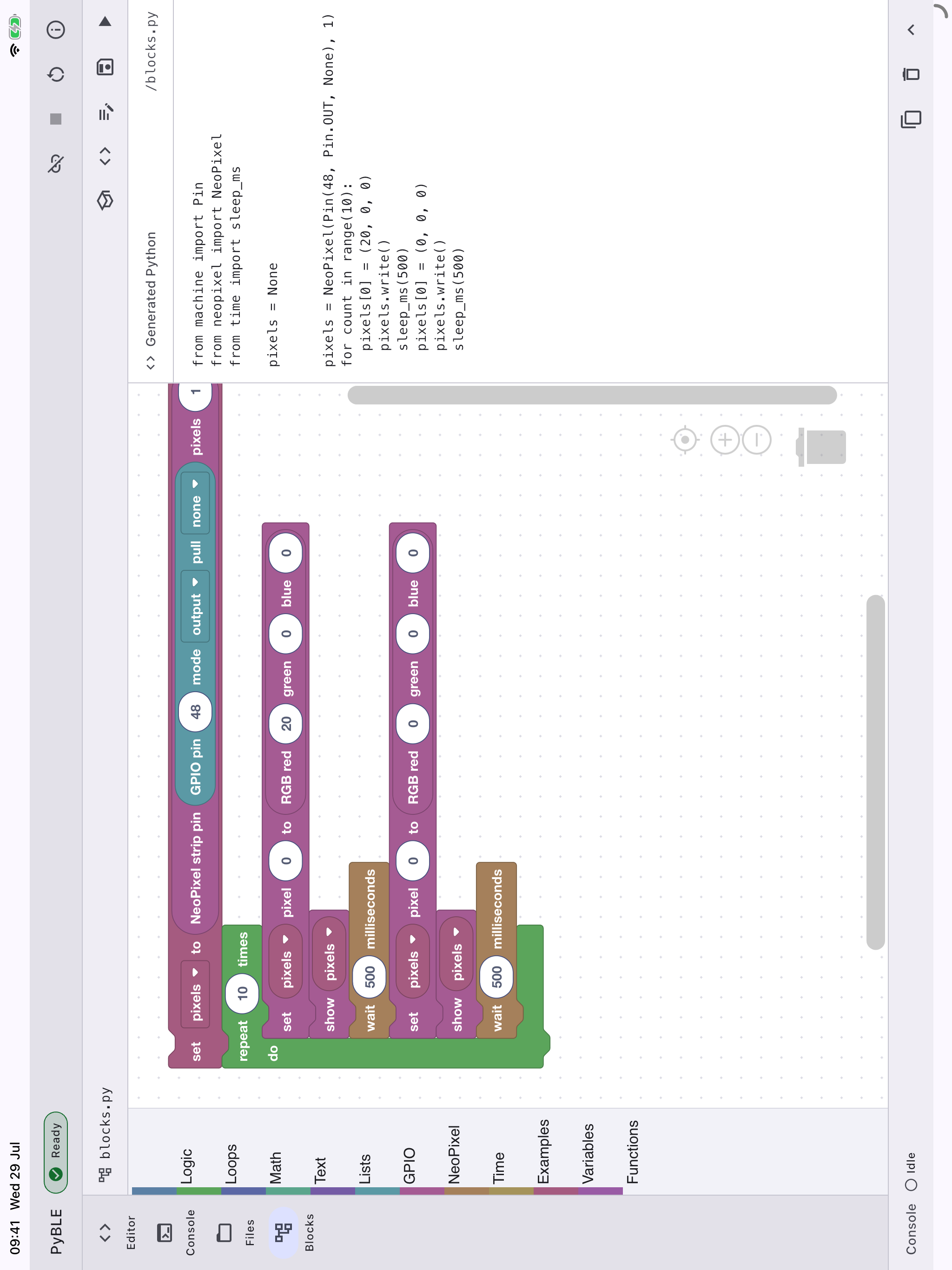
Start visually, inspect generated Python, and move into a deliberately supported beginner Python subset.
PBLE/1 is an open protocol, and both the tablet app and board agent are released under the MIT license.
From Blocks to Python
Build offline with eight editable beginner examples, including an explicit TFT display example, explicit numeric or named GPIO pins such as Pin("LED"), and the standard MicroPython NeoPixel API. Generated Python is always visible and editable.
Python-to-Blocks is intentionally bounded: unsupported Python stays untouched instead of producing a partial or misleading workspace.
Platform scope
PyBLE is designed for boards that can run MicroPython and host PBLE/1 over Bluetooth Low Energy. A validated PyBLE agent port is still required before a board is supported.
Public firmware targets · v0.6.1

Free and open source
The tablet app, board-agent firmware, PBLE/1 protocol, tests, and documentation are developed in public under the MIT license. Explore how the pieces fit together, build from source, or help bring PyBLE to another MicroPython + BLE board.
Explore PyBLE on GitHubPyBLE for iPad + Android
Both builds come from the same open-source Flutter app. Choose the iPad external beta on TestFlight or Android open testing on Google Play.
External testing is open
Install the free iPad external beta through Apple TestFlight. Firmware availability and qualification depend on the exact target; check the firmware installer before provisioning. After one-time USB setup, everyday coding runs over Bluetooth Low Energy.

Android · Google Play open testing
PyBLE 0.2.0 is available on Google Play open testing. Install the Android beta from Google Play and follow any enrollment prompts. Google Play determines availability for your account, country, and device. Firmware availability depends on your exact board; check the firmware installer before provisioning.
